If you’re setting up online payments for the first time, Stripe and PayPal are almost always the first two names that come up. Both are trusted by millions of businesses, both support most major payment methods, and both can get you accepting payments within a day.
But they’re built with different kinds of businesses in mind, and picking the wrong one can mean higher fees, clunkier checkout, or missing features you need down the line.
Stripe vs PayPal: Quick Comparison
| Feature | Stripe | PayPal |
| Best For | Developers & custom checkout | Freelancers & quick setup |
| Setup Difficulty | Requires some technical setup | Very easy, no coding needed |
| Standard Transaction Fee | 2.9% + $0.30 | 2.99% + $0.49 |
| Customer Trust Recognition | Growing | Very high (widely recognized) |
| Invoicing Tools | Good | Excellent |
| Recurring Billing / Subscriptions | Excellent | Good |
| International Payments | Excellent | Excellent |
| Developer/API Flexibility | Excellent | Good |
What Is Stripe?
Stripe is a payment processing platform built primarily for developers and businesses that want full control over their checkout experience. It’s the backend that powers payments for a large share of SaaS companies, subscription services, and custom online stores.
Popular use cases include:
- Custom checkout flows on your own website
- Subscription and recurring billing
- Marketplace payments (splitting payouts between multiple parties)
- In-app and mobile payments
Stripe’s biggest advantage is flexibility. If you want your payment page to look and behave exactly the way you want, Stripe’s tools are built for that. The tradeoff is that getting the most out of it usually means either coding it yourself or using a website builder that has Stripe built in.
What Is PayPal?
PayPal is one of the most recognized names in online payments, and that recognition itself is part of its value. Many shoppers trust it simply because they’ve used it for years.
Its strengths often show up in:
- Fast setup with no technical knowledge required
- Sending and receiving money directly, not just processing card payments
- Invoicing for freelancers and small service businesses
- Buyer and seller protection that customers already recognize
For sole proprietors, freelancers, and small businesses that want to start accepting payments today without touching any code, PayPal is usually the faster path.
Stripe vs PayPal: Key Differences
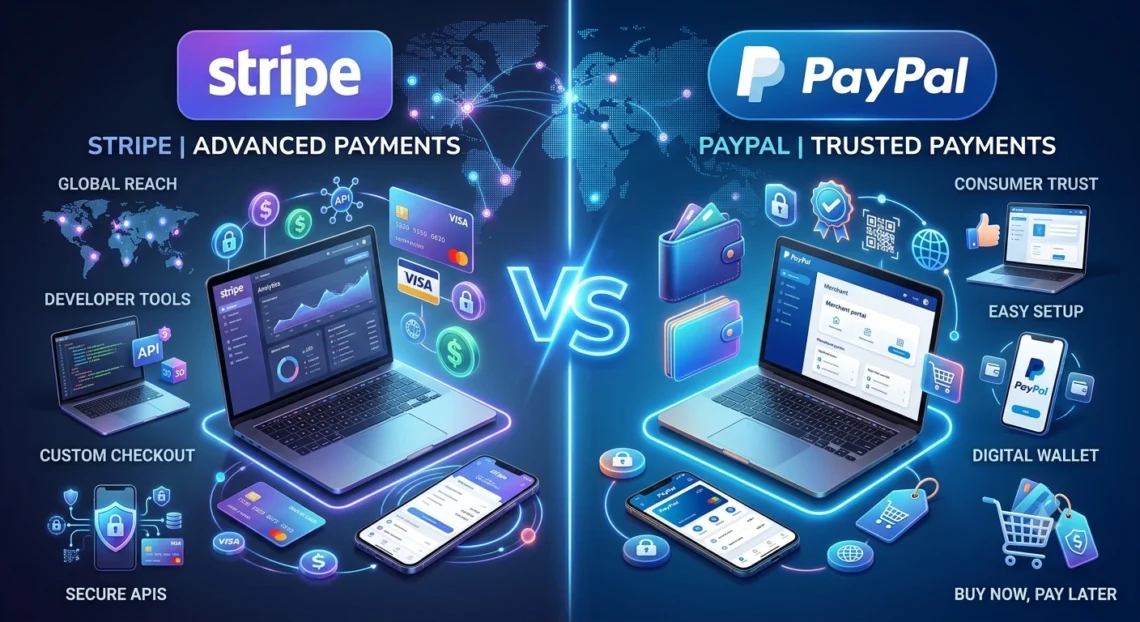
Once a business has used both for a while, the split becomes clear. Stripe is built for businesses that want to shape their own checkout and payment flow, especially ones that plan to scale or need recurring billing. PayPal is built for speed and trust — it’s the option most people already have an account for, which can reduce friction at checkout.
Neither is universally “better.” It comes down to how technical your setup is and what your customers expect to see.
Choose Stripe if you want:
- Full control over checkout design
- Strong subscription and recurring billing tools
- Marketplace or multi-party payment splitting
- Deep integration with your own website or app
Choose PayPal if you want:
- The fastest possible setup
- A payment brand your customers already trust
- Simple invoicing without technical setup
- An easy way to also send/receive money directly
Stripe vs PayPal Fees: What You’ll Actually Pay
Fees are one of the most searched parts of this comparison, so it’s worth breaking down clearly. Stripe’s standard rate is 2.9% + $0.30 per successful card transaction in the US, with no monthly fees for standard use. International cards and currency conversion carry additional fees.
PayPal’s standard rate is 2.99% + $0.49 per transaction for most business accounts, which is slightly higher than Stripe on both the percentage and the flat fee. PayPal also charges extra for currency conversion and has different rates for its “PayPal Checkout” versus sending money as goods and services.
For high transaction volume, both platforms offer custom/negotiated rates, so the standard published fees mostly apply to smaller businesses just getting started.
Bottom line: Stripe is usually marginally cheaper per transaction, but the difference is small enough that it shouldn’t be the only factor in your decision.
Stripe vs PayPal for Freelancers
Freelancers often care more about speed and client trust than about custom checkout design. PayPal tends to win here for a simple reason: most clients already have a PayPal account, invoices are easy to send, and payments can be requested without setting up a website at all.
Stripe can absolutely work for freelancers too, especially those using invoicing tools built into platforms like a personal website or a freelance marketplace, but it generally requires a bit more setup. Winner: PayPal, for pure simplicity
Stripe vs PayPal for Small Businesses
For a small business running its own website or online store, the calculation shifts. Stripe integrates directly into most e-commerce platforms and gives more control over the checkout experience, which can improve conversion rates over time. It also handles recurring billing well if the business sells subscriptions or memberships.
PayPal remains a strong option too, particularly as an additional payment method alongside Stripe, since some customers specifically look for the PayPal button at checkout.
Winner: Stripe for control, but many small businesses use both side by side
Is Stripe Safe?
This comes up often enough to address directly: yes. Stripe is PCI-DSS Level 1 certified (the highest level of payment security certification), uses strong encryption, and includes fraud detection tools built into its platform. It’s used by major companies including Amazon, Shopify, and Google, which reflects a high level of trust in its security infrastructure.
PayPal is similarly well established from a security standpoint, with buyer/seller protection programs that have existed for over two decades.
Both platforms are considered safe for standard business use. The bigger practical risk for most businesses isn’t platform security — it’s things like chargebacks and disputes, which both platforms handle differently.
Stripe vs PayPal: Pros and Cons
Stripe Pros
- Lower standard transaction fees
- Excellent for subscriptions and recurring billing
- Highly customizable checkout
- Strong developer tools and documentation
Stripe Cons
- Steeper learning curve for non-technical users
- Less brand recognition among everyday shoppers
PayPal Pros
- Extremely fast, no-code setup
- High customer trust and recognition
- Easy invoicing for freelancers
- Can send/receive money directly, not just process cards
PayPal Cons
- Slightly higher standard fees
- Less flexible for custom checkout design
- Account holds/reviews are a common complaint among sellers
What About Square?
Square often comes up alongside this comparison, particularly for businesses that also need in-person payment hardware (card readers, POS systems). If you sell both online and in a physical location, Square’s combined online/offline system can be simpler to manage than running Stripe or PayPal alongside separate in-person hardware. For online-only businesses, though, Stripe and PayPal remain the more commonly compared pair.
Final Verdict: Stripe vs PayPal
If you’re a developer or a business that wants full control over checkout, subscriptions, or a custom payment experience, Stripe is generally the stronger long-term choice.
If you want to start accepting payments today with minimal setup, and your customers value seeing a familiar payment brand, PayPal is usually the faster, simpler path.
Many businesses don’t actually have to choose just one. Offering both at checkout is common, since it lets each customer pay with whichever option they trust more, without costing you much extra to support both.
Frequently Asked Questions
Is Stripe cheaper than PayPal?
Yes, slightly. Stripe’s standard rate is 2.9% + $0.30 per transaction, compared to PayPal’s 2.99% + $0.49, though the difference is small for most small-volume businesses.
Is Stripe or PayPal better for a small business?
It depends on your setup. Stripe offers more control and lower fees for businesses with their own website. PayPal is faster to set up and more recognizable to everyday customers.
Is Stripe safe to use?
Yes. Stripe is PCI-DSS Level 1 certified, the highest level of payment security certification, and is used by major companies including Amazon and Shopify.
Can I use Stripe and PayPal together?
Yes. Many businesses offer both as payment options at checkout, letting customers choose whichever they trust or prefer.
Which is better for freelancers, Stripe or PayPal?
PayPal tends to be simpler for freelancers because most clients already have accounts and invoicing requires no technical setup.
Does Stripe or PayPal have better fraud protection?
Both offer solid fraud protection and buyer/seller protection programs. Stripe includes built-in fraud detection tools, while PayPal has decades of established buyer/seller protection policies.
Is PayPal or Stripe more popular?
PayPal has higher general brand recognition among everyday consumers, while Stripe is more widely used as the backend for developer-built and SaaS checkout systems.